An independent Publii plugin · v1.4.1

A full calendar.
A simple page.

A reading. A reunion. A conversation that goes somewhere unexpected. Give every event a place on your site, without rewriting the page.

Local event editor. Your theme’s style. Ready for your newsletter.

The Grove / cultural programme2027

Upcoming events

Quantum Telepathy: A Conversation Beyond Words

Saturday, February 20, 2027, 7 pm – 8:30 pm (GMT)

Dr. Hawthorne explores quantum telepathic communication, the loquentes interface, and what happens when a starship finally answers back. Lecture followed by questions. Please leave your mind open.
Fictional event. Real widget.
Made for static sitesZero runtime librariesEditable layout CSSMIT licensed

A little less page editing

The details go in.
Your events come together.

Enter each event once in Publii. The plugin handles the dates, the layout, and the part where yesterday’s event becomes a smaller line below.

01

A calendar that keeps its order

Upcoming events appear earliest first. Finished events move to a compact archive. Multiple dates, daily hours, and local time zones are all supported.

02

The right amount of detail

A name, date, time, description, and venue. Addresses open Google Maps; optional website links give visitors somewhere to learn more. No event image required.

03

A layout that belongs on your site

Fonts and colors come from your theme. The plugin includes responsive layout CSS, labeled size variables, and a place to save your own overrides.

04

Bring the calendar to your newsletter

Copy upcoming events as plain HTML with structural inline styles. Paste into EmailOctopus or your email editor. Your email template supplies the fonts and colors.

Take a look around

Meanwhile, in the Grove…

Open the full programme

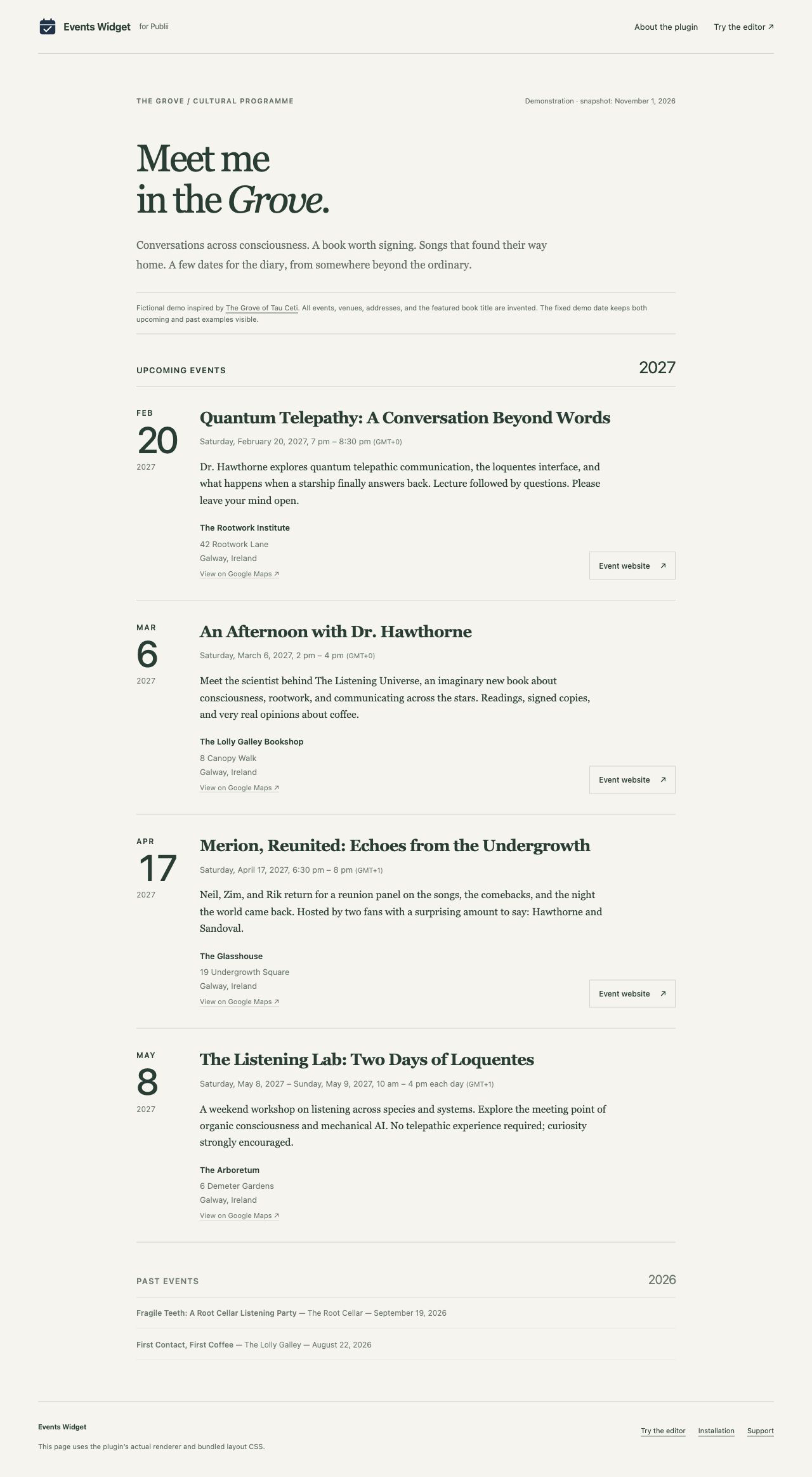
Hawthorne has a lecture to give. Merion has a reunion to explain. A fictional programme from The Grove of Tau Ceti shows what the plugin does with both.

The Grove demo event page with upcoming event details and a compact past-event section
01 / The event pageTry the live widget →
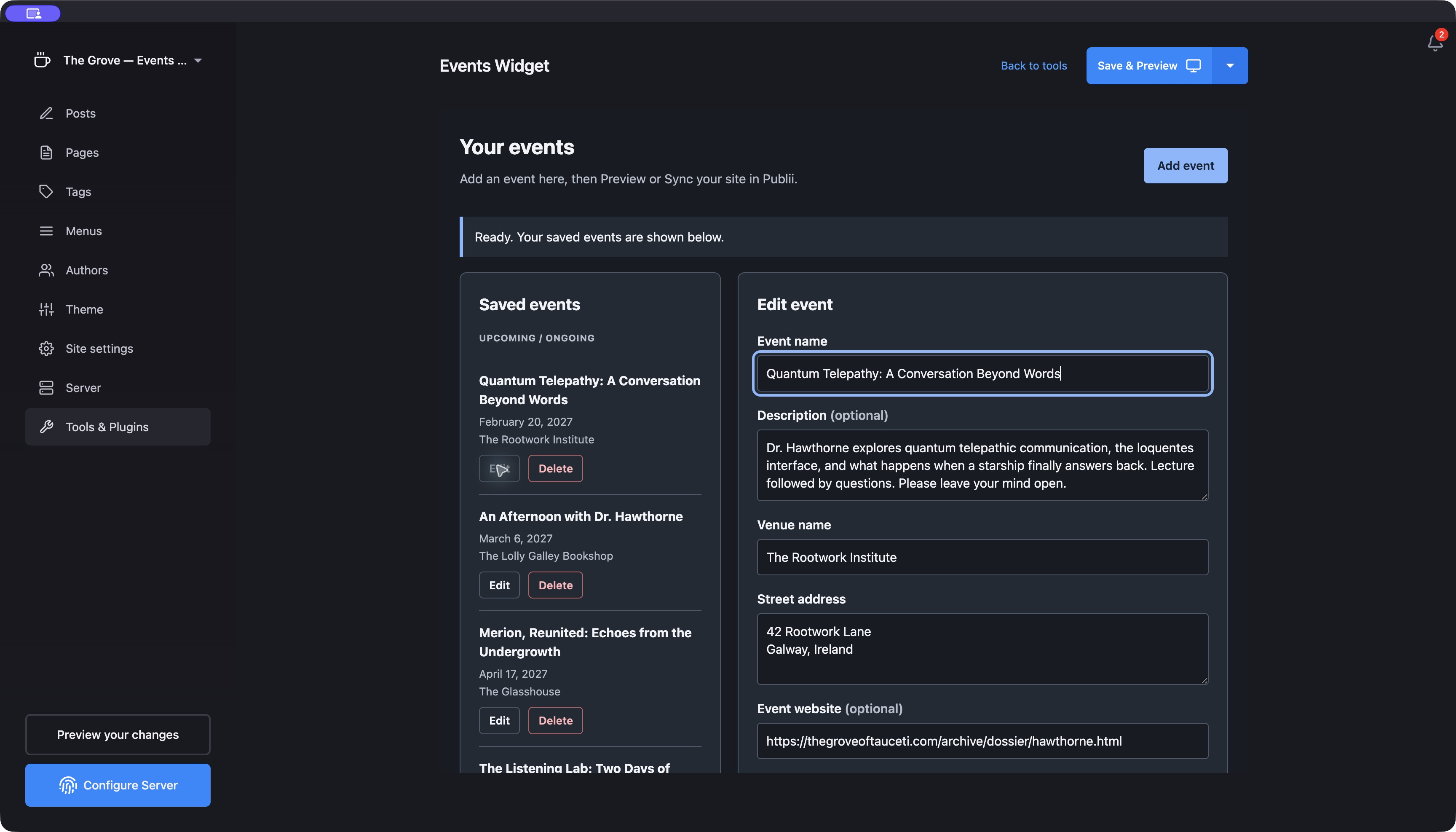
Events Widget running inside a separate Publii project with fictional Grove events
02 / The editor in PubliiTry the browser editor →

All demo events, venues, street addresses, and Dr. Hawthorne’s book title are invented. This is a demonstration, not a real event listing.

Up and running

One plugin.
One shortcode.

Requires Publii 0.47.7 or later. Tested with Publii 0.47.7 on macOS. JavaScript and CSS are bundled locally.

Verify download · Release notes · Source code

  1. 1

    Install the ZIP

    In Publii, open Tools & Plugins → Plugins → Install plugin. Select the ZIP and enable Events Widget for your site.

  2. 2

    Add your first event

    Open Tools & Plugins → Events Widget. Fill in the details, choose the event’s local time zone, and save.

  3. 3

    Give it a place on your page

    Put this shortcode in its own paragraph on your Events page:

    [events]
  4. 4

    Preview, then publish

    Check your page with Preview your changes. Publii’s normal Sync publishes the widget, JSON, and newsletter HTML with your site.

Keep your readers in the loop

Next stop:
the inbox.

The newsletter export contains upcoming events, their details, and working links. No JavaScript. No separate integration. Just HTML you can use.

Download HTML ↓

The demo uses a fixed November 1, 2026 snapshot. Your installed plugin uses the current date.

Good to know

Small plugin.
Open about the details.

Where do my events live?

In your Publii project’s local events.json file. Publii exports it with your site when you Preview or Sync. The plugin has no separate service or public editor. Use Download JSON backup before upgrades or removal.

Can I change the appearance?

Yes. Open Display settings → Widget CSS to view the bundled stylesheet and save per-site overrides. Sizes and spacing are controlled by labeled variables. Fonts and colors inherit from the page’s theme. Newsletter HTML uses a separate, simple layout.

Can I hide time zones or past events?

Yes. Both have checkboxes in Display settings. Hiding a time zone label does not change the event’s stored zone or the time at which it becomes past.

Is this an official Publii plugin?

No. Events Widget is independently developed and maintained by Tobby Hagler. It is prepared for marketplace review; it has not been endorsed or accepted by Publii.

How do I get help or report a bug?

Open a GitHub issue with your Publii version, operating system, and steps to reproduce the problem. Remove private information from examples. Custom theme work is outside the plugin’s standard scope.

What does the MIT license allow?

You can use, modify, and redistribute the plugin, including commercially, while retaining its copyright and license notice. See the complete license. No license key or account is required.